
Rebel DAW Pro
By Rebel G Society
Record, edit, mix and finish your songs in your browser, with a real multitrack studio engine behind it.
A full studio in one window
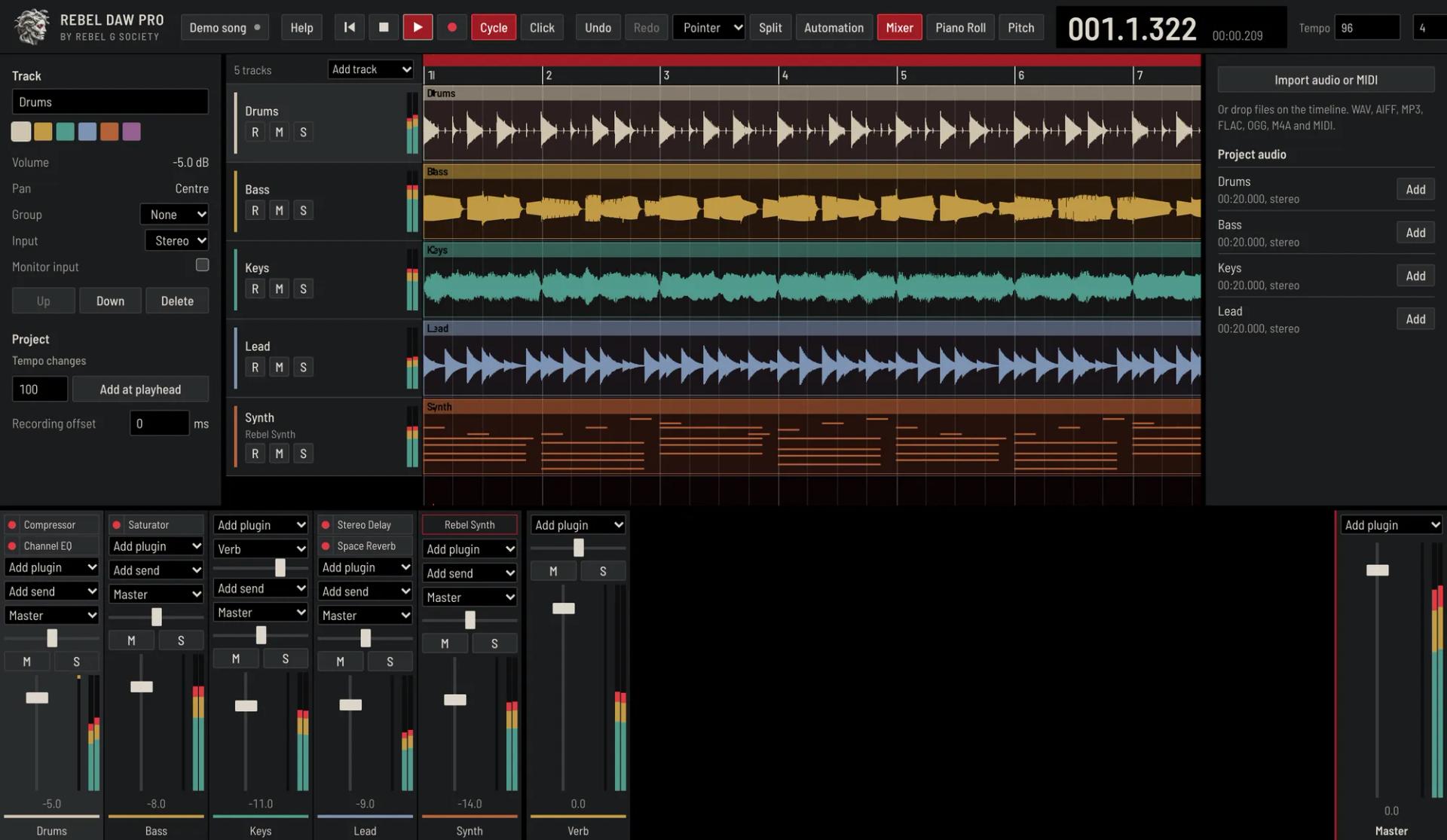
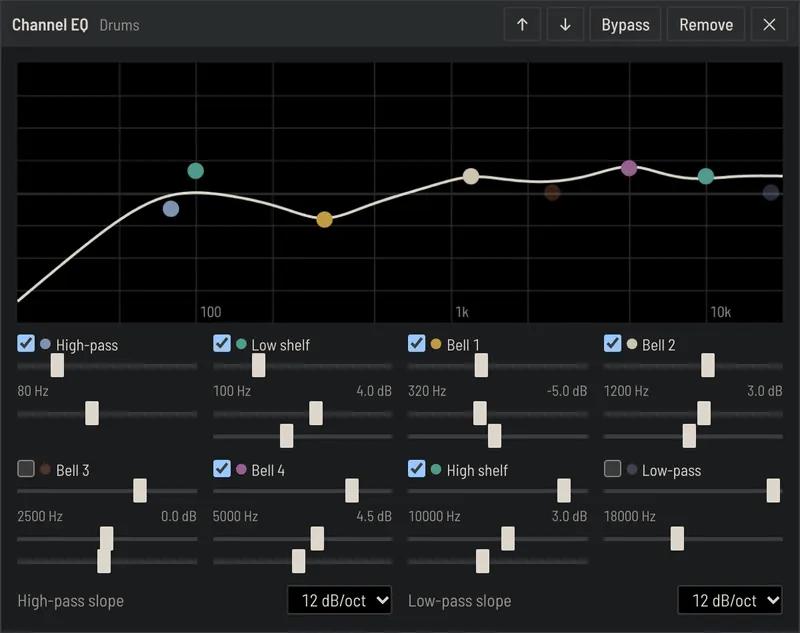
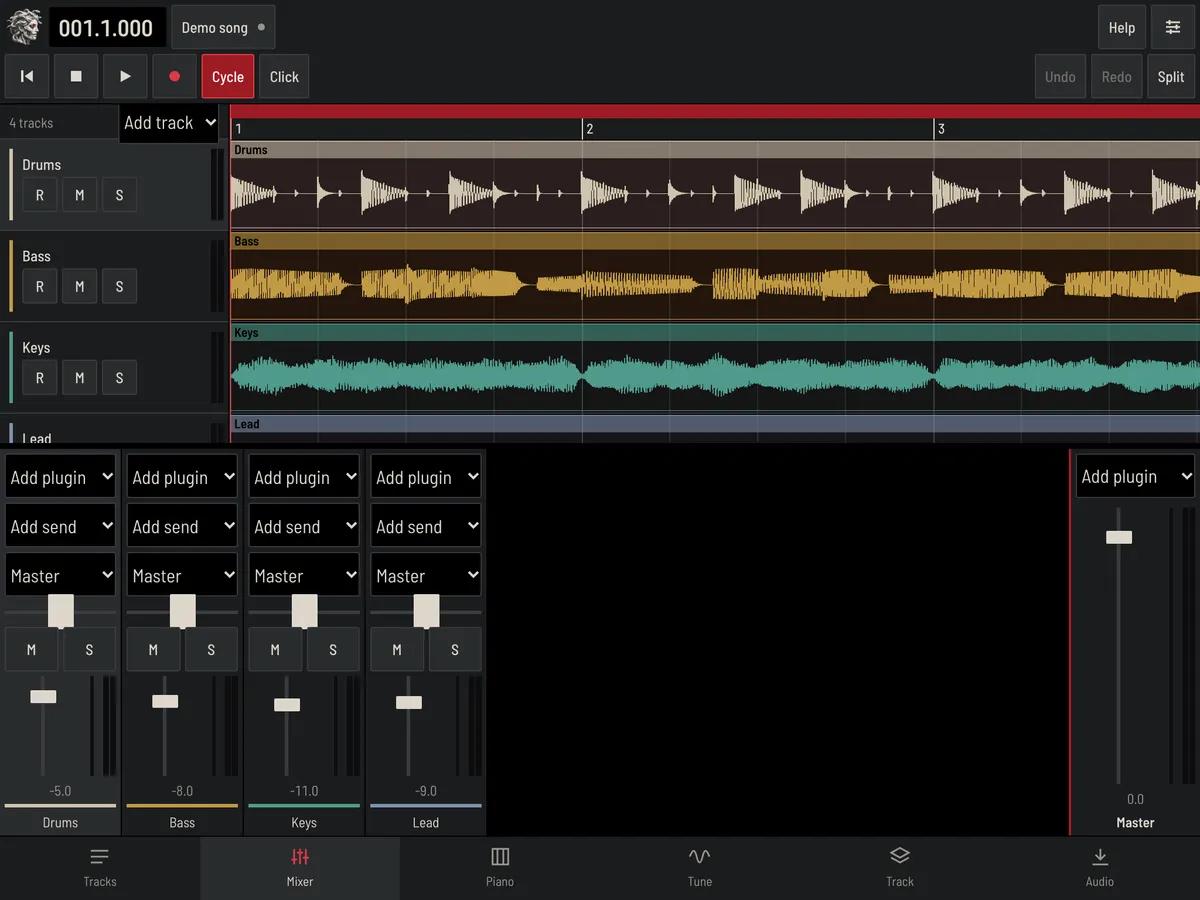
This is the real app, playing the demo song. Your tracks are on top, your mixer below, and your plugins are a click away.
What’s inside
See the whole song at once
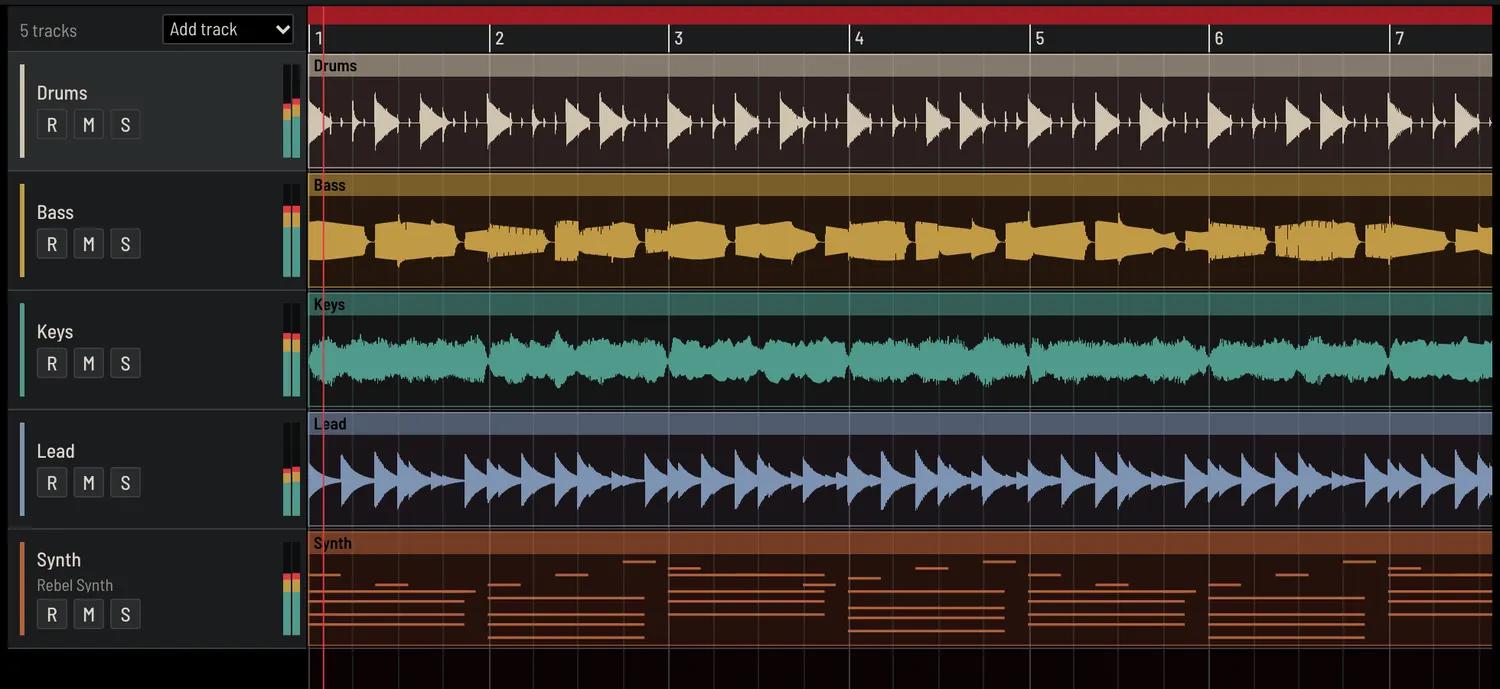
Lay out audio and MIDI on a timeline with clear waveforms. Pull a region’s edge to trim it, and drag its corners to fade.
- Up to 64 tracks
- Split, duplicate, cycle and snap to the grid
- Tempo and time signature changes
- Undo every edit, mixer moves included
From idea to finished song
Open it
It runs in your browser, and a demo song is ready to play. A short tour shows you around.
Make your song
Record your voice, import audio or write parts with the built-in instruments.
Mix and tune
Balance your tracks, add plugins and fix the pitch of your vocals.
Export it
Save a WAV of the finished song, or separate stems for another studio.
Built for touch too
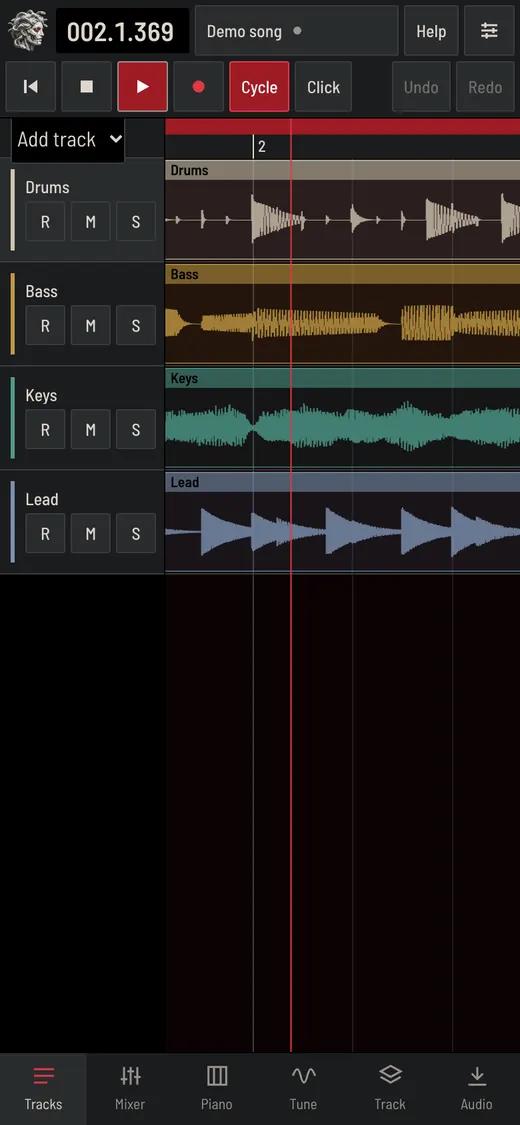
On a phone or tablet, the studio changes to fit. Tabs along the bottom take you to your tracks, mixer, piano roll and pitch editor, and the buttons are big enough for your fingers.
- Pinch to zoom and drag to scroll
- Split, duplicate and delete from one bar
- Press and hold any button to see what it does
- Help guides are built in, with a tour on your first visit
Questions
Do I need to install anything?
No. Sign in, open the app and start working. It runs in Chrome, Edge, Firefox or Safari.
Where is my work saved?
Your projects save themselves in the browser on the device you’re using, so they stay private to that device. Export your songs to keep copies elsewhere. Clearing your browser’s site data removes saved projects.
Does it work on a phone or tablet?
Yes. On smaller screens it switches to a touch layout with large buttons, tabs, pinch to zoom and drag to scroll. A computer or tablet gives you the most room to work.
Can I record with a microphone?
Yes. Arm a track, allow microphone access when your browser asks, and press Record. Headphones stop the microphone from picking up the song.
Can I use a MIDI keyboard or controller?
Yes, in Chrome, Edge and Firefox on a computer. Play notes with velocity, sustain and pitch bend, and use MIDI Learn to assign your knobs, faders and buttons to the mixer, plugins and transport. Safari doesn’t support MIDI devices, so use the on-screen keys or your computer keyboard there.
Which files can I import?
WAV, AIFF, MP3, FLAC, OGG, M4A and MIDI files.
Can I cancel at any time?
Yes. Open Manage plan on this page to cancel your subscription at any time.