

Mix Alchemist
Turn your stems into a finished mix. See where your tracks clash, get suggestions backed by real measurements, and compare with the songs you love.
What’s inside
These are real screenshots of the app working on the demo session.
See where your tracks collide
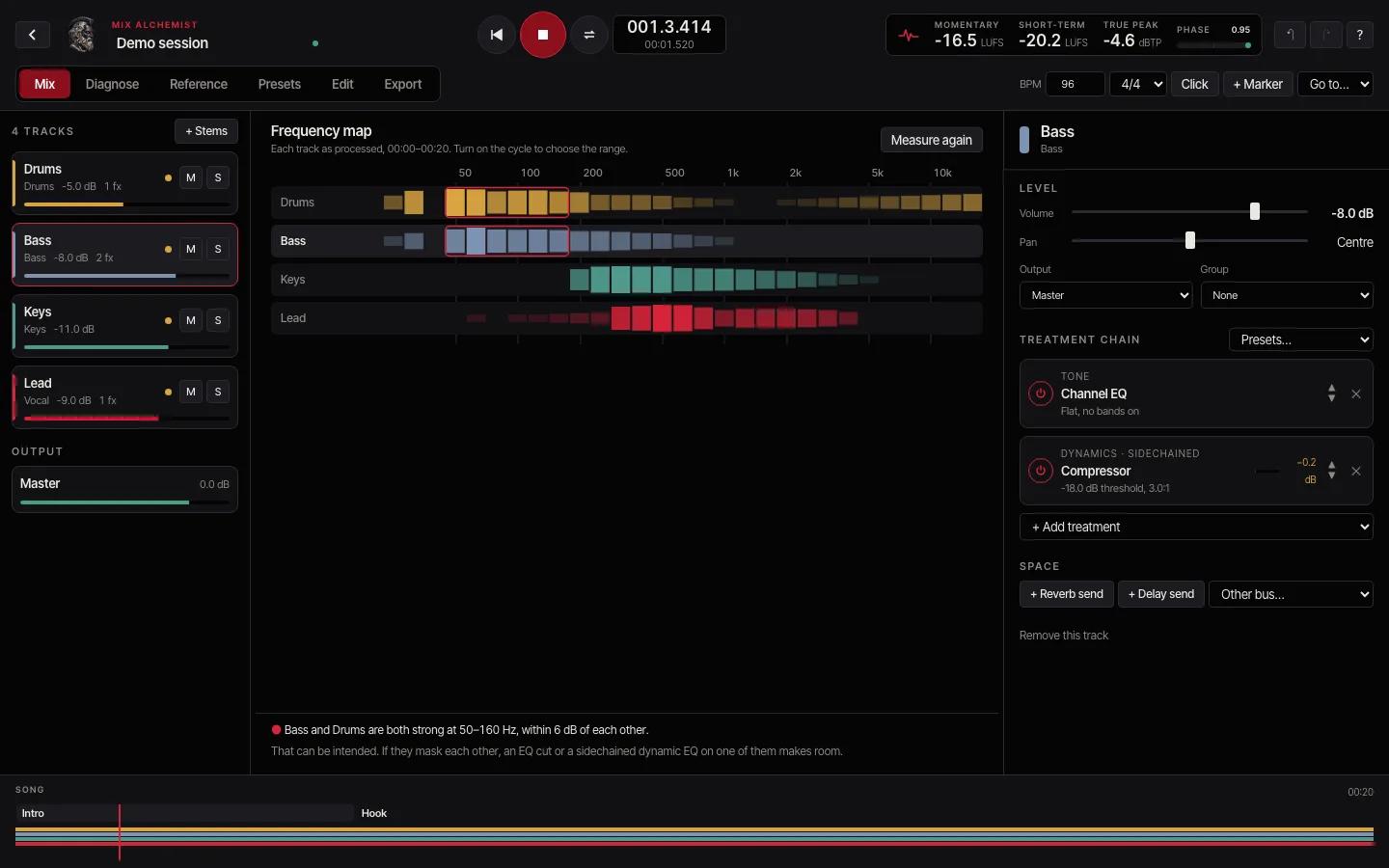
Drop in your stems and every track appears on the frequency map, measured as it sounds with its plugins. Where two tracks pile up in the same range, the map marks it.
- Track cards with level, pan, mute and solo
- A treatment chain for each track, with every setting in view
- Seventeen effects, including a dynamic EQ and sidechain compression
- Reverb and delay sends on a shared Space bus
Advice you can check
Measured, not guessed
Loudness and true peak follow the broadcast standards (ITU-R BS.1770 and EBU R128). Every number is checked against an independent reference implementation in our tests.
No AI opinions
Suggestions come from fixed checks on those measurements, and each one shows its numbers. No language model decides that your mix has a problem.
Your audio stays with you
Everything runs in your browser. Your stems and reference songs are never uploaded, and your original files are never changed.
From stems to a finished mix
Bring your stems
Drop in the separate tracks of your song: vocals, drums, bass and the rest. A demo session is ready if you want to look around first.
See and measure
The frequency map shows where tracks clash. Diagnose measures everything and explains what it finds.
Treat and compare
Apply a fix or a genre preset, then compare with a reference at matched loudness. Undo anything.
Export
Save the mix or stems as WAV or MP3, with an analysis report to keep or share.
On any screen
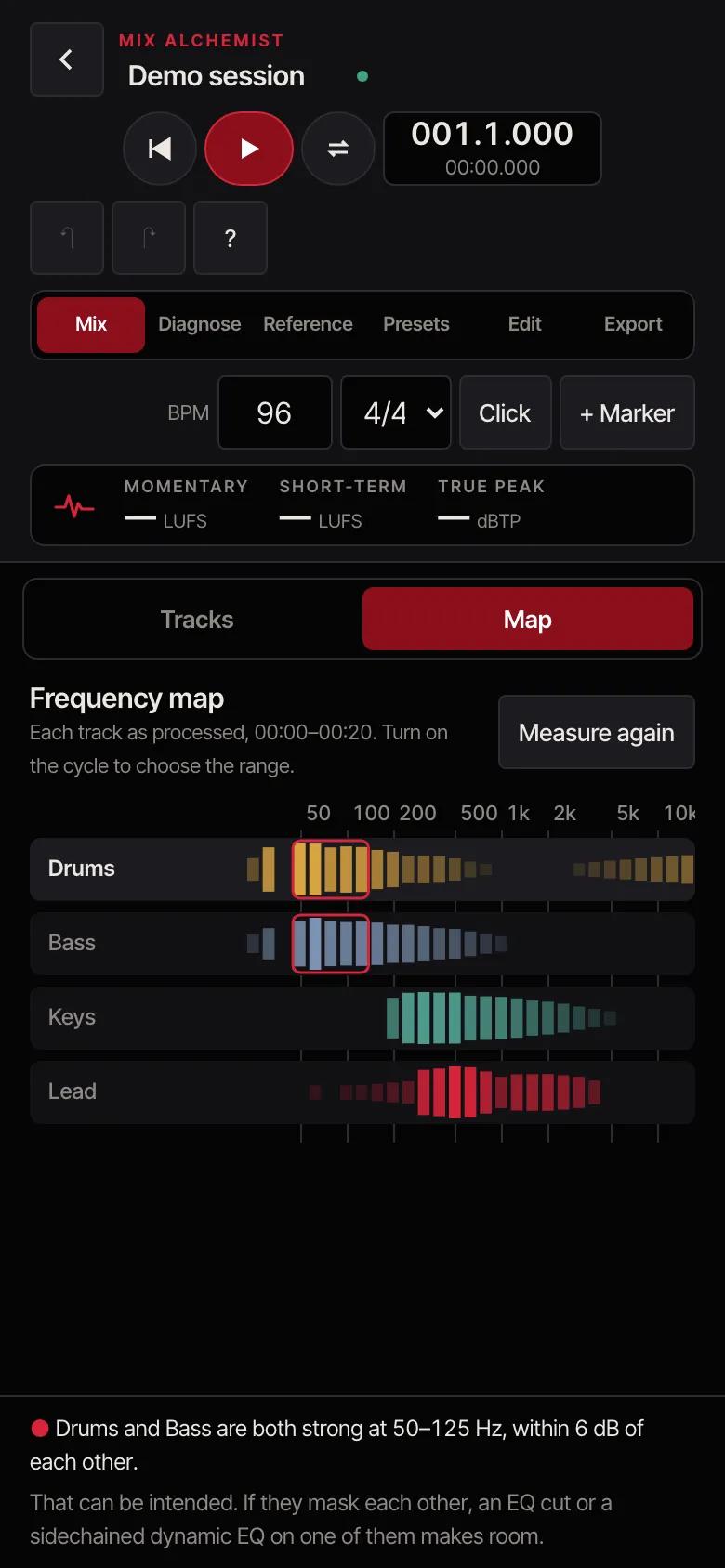
On a phone, the studio switches between your tracks and the frequency map, and each track’s treatment slides up from the bottom.
- The same engine on every device
- Large controls made for touch
- Projects save as you work
Questions
What is Mix Alchemist for?
Mixing a song you’ve already recorded or produced. Bring in its stems, balance and treat them, and export a finished mix. To record or arrange, use Rebel DAW Pro; to master the finished mix, use GOD KEY MASTERING.
Do I need to install anything?
No. Sign in, open the app and start working. It runs in current versions of Chrome, Edge and Safari on a computer, tablet or phone.
Does it use AI to judge my mix?
No. It measures your audio with the same methods mastering engineers and broadcasters use, then runs fixed checks on the numbers. Every suggestion shows the measurements behind it, and you decide whether to apply it.
Where is my work saved?
Your projects save themselves in the browser on the device you’re using, so they stay private to that device. Export your mixes to keep copies elsewhere. Clearing your browser’s site data removes saved projects.
Which files can I import?
WAV, AIFF, MP3, FLAC, OGG and M4A. For the best results, export each track of your song as its own WAV file, all starting at the same point.
Can I use a commercial song as a reference?
Use songs you have the right to use, such as files you bought. The reference stays on your device, is only measured and played for comparison, and is never mixed into or exported with your song.
Can I cancel at any time?
Yes. Open Manage plan on this page to cancel. You keep access until the end of the month you’ve paid for.
MP3 files are encoded with LAME, free software under the GNU LGPL.