

Vocal Apostle
Pitch correction with a full vocal chain, in one plug-in for Logic Pro and any other DAW. Tune naturally or go for the hard-tuned sound in any key, then polish the vocal without leaving the plug-in.
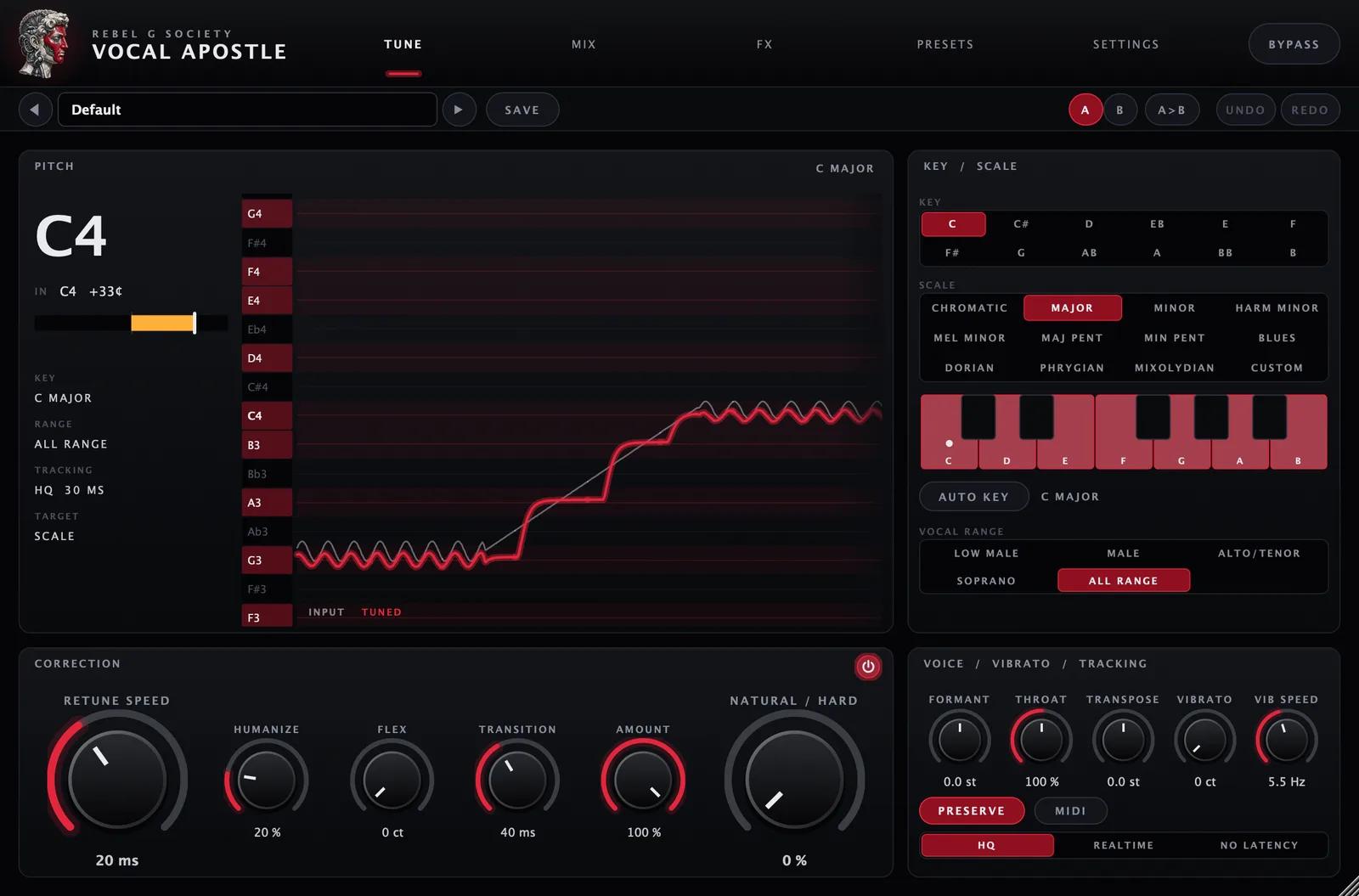
Tune
Pick the key and scale, or let Auto Key listen for it, then choose how hard to pull. Retune Speed at 0 ms gives the classic hard-tuned effect, with instant note flips. Slower settings, Humanize and Flex keep a natural performance. The pitch graph shows your voice and the tuned result as you sing.
- 12 scales plus your own custom notes
- Retune Speed, Natural/Hard, Humanize, Flex, Transition and Amount
- Formant with Preserve, Throat, Transpose and Vibrato
- Target notes from MIDI
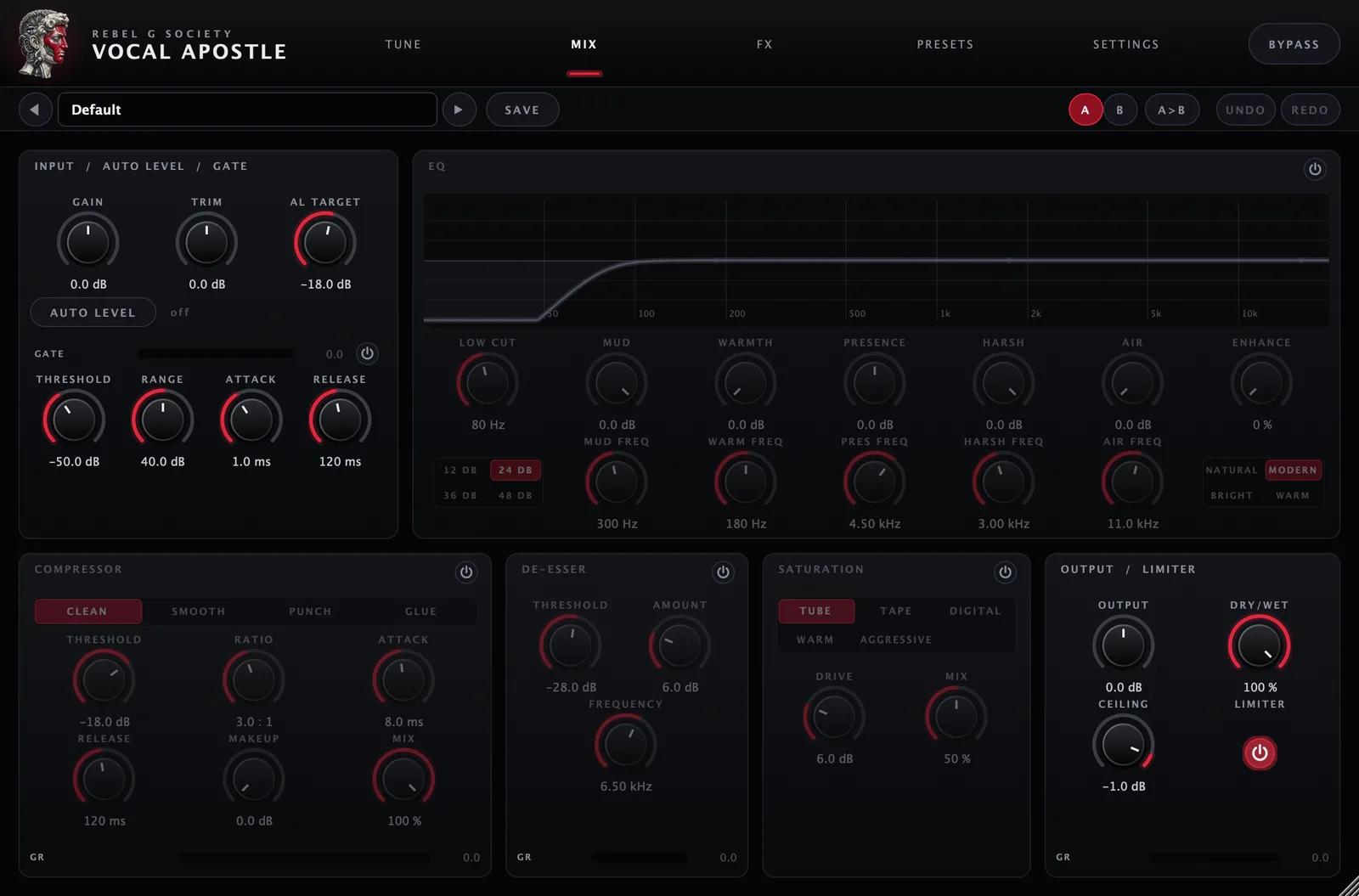
Mix
A vocal chain after the tuner, so the tuned voice comes out ready for the mix. Every module starts switched off: turn on what you need.
- Auto Level evens out quiet and loud takes
- Six-band vocal EQ plus Enhance
- Compressor with Clean, Smooth, Punch and Glue
- De-esser, saturation, dry/wet and a safety limiter
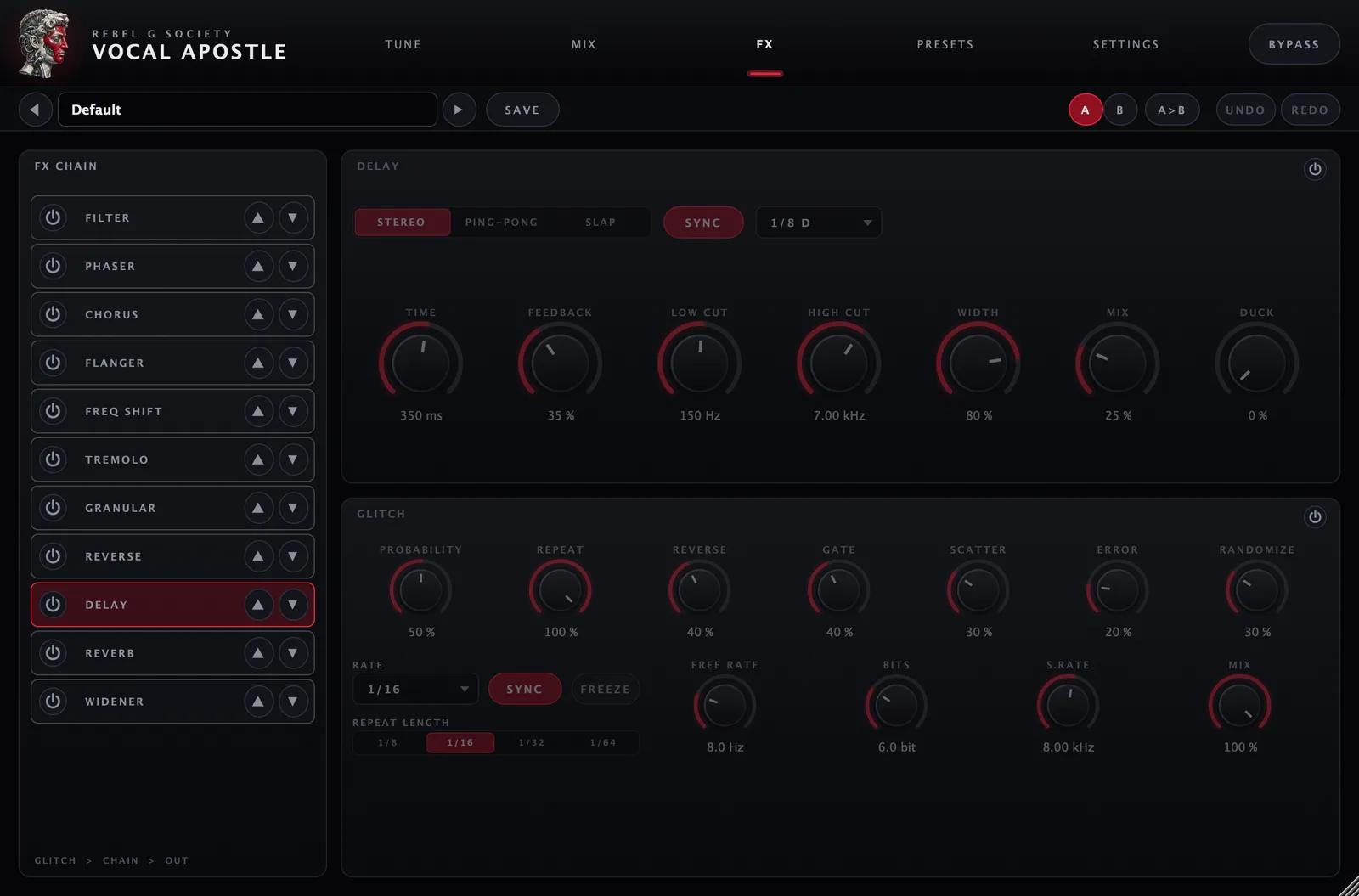
FX
Eleven effects in any order you like, plus a tempo-synced glitch engine for stutters, reverses and gates.
- Delay and reverb with ducking
- Chorus, phaser, flanger, filter and widener
- Frequency shifter, tremolo, granular and reverse
- Glitch locked to your session tempo
Specs
- Formats
- Audio Unit (AU) and VST3, plus a standalone app
- System
- macOS 11 or later, Apple Silicon or Intel
- Hosts
- Logic Pro, GarageBand, Ableton Live, FL Studio, Cubase, Studio One, Reaper, Bitwig and any other AU or VST3 host
- Tracking
- HQ (30 ms, for mixing), Realtime (7 ms) and No Latency (0 ms, for recording)
- Sample rates
- 44.1 to 192 kHz, mono or stereo
- Licence
- One-time purchase. One key activates on 2 computers.
Questions
New to installing it? Read the step-by-step install guide.
Which DAWs does it work in?
Any macOS DAW. One installer adds both formats: the Audio Unit for Logic Pro and GarageBand, and the VST3 for Ableton Live, FL Studio, Cubase, Nuendo, Studio One, Reaper, Bitwig and others. It also adds a standalone app for using it without a DAW. After installing, rescan your plug-ins and look for Vocal Apostle under Rebel G Society.
Where do I find it in Logic Pro?
On an audio track, open Audio FX → Audio Units → Rebel G Society → Vocal Apostle. If it isn’t there yet, open Logic Pro → Settings → Plug-in Manager and click Reset & Rescan Selection.
Is it Windows compatible?
No. Vocal Apostle runs on macOS only.
How do I activate it?
After you buy, your licence key is emailed to you and saved in The Vault with the installer. Install the plug-in, open SETTINGS inside it, paste the key and press ACTIVATE. Activation needs an internet connection once; after that the plug-in works offline.
How many computers can I use it on?
One key activates on 2 computers. New computer? Reply to your purchase email and we’ll move the key for you.
Is it a subscription?
No. You pay once. Re-download the installer from The Vault whenever you need it.
Can I use it live?
Yes. Switch Tracking to Realtime (7 ms) for live performance, or No Latency for monitoring while you record. HQ gives the best sound when you mix.
Why does macOS warn me about the installer?
The installer isn’t signed through Apple’s paid developer program yet, so macOS asks you to confirm it the first time: open the installer once, click Done, then click Open Anyway in System Settings → Privacy & Security. The install guide (link below) walks you through it step by step.